WLAN Wi-Fi Connection Always-On/Active

OnkelP Post time 2017-2-4 20:23:27 | Show all posts  Close [Copy link]
5 1514
View: 1514|Reply: 5

WLAN Wi-Fi Connection Always-On/Active

 Close [Copy link]

1

threads

5

posts

36

credits

New Member

Rank: 1

credits
36
Post time 2017-2-3 16:28:31 | Show all posts |Read mode
Hey folks, ive got my new UMi Z since a week.
But there is a bug? The WLAN-/Wi-Fi Connection ist always-on, even when i disabled it in settings... Anyone-else with the same issue?


Regards.

3

threads

67

posts

396

credits

Platinum Member

Rank: 3Rank: 3

credits
396
Post time 2017-2-3 16:40:29 | Show all posts
No problem for me, I enable/disable it a few times a day and never had the problem.

Actually, I had it only once because I disable it while the screen was locked so the change didn't take effect. Had to unlock the screen, then disable it once more.

But I guess it has nothing to do with your problem

4

threads

189

posts

701

credits

Diamond Member

Rank: 4

credits
701
Post time 2017-2-3 16:43:43 | Show all posts
Just to make sure you did reboot your phone right? Also did you flashed all the OTA updates?

1

threads

5

posts

36

credits

New Member

Rank: 1

credits
36
 Author| Post time 2017-2-3 17:40:29 | Show all posts

Re,

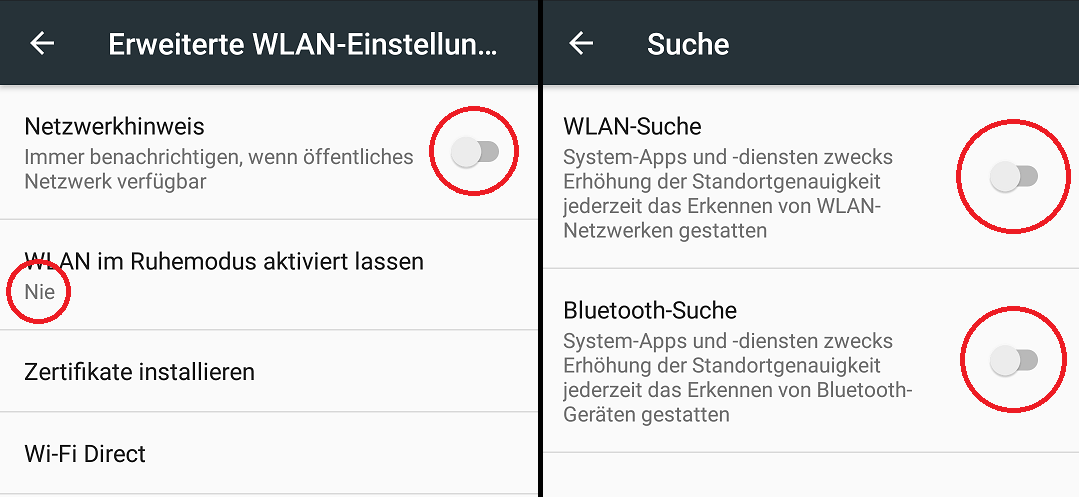
I have turned off all the settings that could activate Wi-Fi ...


... AND ...
Just to make sure you did reboot your phone right? Also did you flashed all the OTA updates?


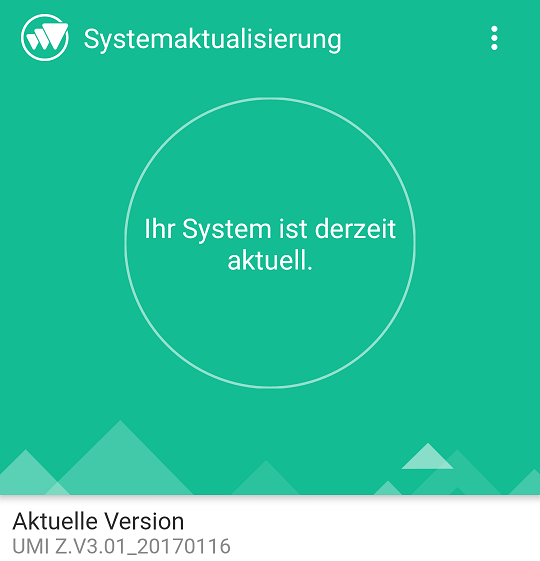
I've got the newest update?

4

threads

189

posts

701

credits

Diamond Member

Rank: 4

credits
701
Post time 2017-2-3 18:10:15 | Show all posts
Yes 3.01_20170116 should be the latest version. How did you find out the wifi is always on? Using your router, or does it cause some kind of batterry drain?
Post time 2017-2-4 20:23:27 | Show all posts
OnkelP replied at 2017-2-3 17:40
Re,

I have turned off all the settings that could activate Wi-Fi ...

Hi
I don't see your wi-fi and data connection settings on this screenshots. So I can't confirm that you don't have access to Internet.
Wireless updating is working in background so maybe you had access to Internet for few minutes day before or something like that and app downloaded update but didn't inform you about and now when update is ready you getting notification about.
This doesn't mean that you wi-fi or other connections is activating it self.
Definitely you should go to wi-fi - activate wi-fi  - top right corner three dots - advanced - network notification - off.

You have to log in before you can reply Login | WELCOME TO UMIDIGI COMMUNITY

Points Rules

Quick Reply Top Back to list